How to Play Copper Windows 8 Game
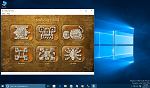
Copper game is one of the new Metro-style applications shipped as build-in Windows 8 game in the first release of Windows 8, Windows Developer Preview.

Within the game players control a robot on an unusual world, actually a game board full of bonus items, obstacles, lifts, energy items, switches that control obstacles, etc. The object of Windows 8 Copper game is to reach to the star tile on each level of the game.
While playing Copper game, Windows 8 game players can use multi-touch gestures as well as mouse and keyboard controls like left, right, up and down arrows.

Here are some notes from the game tutorial:
In order to move the Copper robot on the board, swipe over the robot in desired direction.
There are wooden blocks on the way of your robots. You can move your robot towards wooden blocks in order to push them.
The game board is on a big large gear. You can change your view by turning the gear using the touch gestures. This action will change your view angle.
It is also possible to zoom in or zoom out. A two-finger pinch gesture will help you for zoom. Also Windows 8 game players can scroll their mouse for the same task.
Try to end each level within the given time period. If you can manage finishing the Copper game level in time you will earn additional star bonus.
Copper robot can use screw-shaped lifts in order to move up to a higher tile, or move down to a lower tile. You can use lifts by moving onto tile containing the lifts.
If Copper robot fall down 1 or 2 blocks, it will continue without damage. But if robot falls 3 blocks it will not function any more for that level.