Free Download Purble Place for Windows XP and Play Purble Place
What is Purble Place
Purble Place is a bundle of three mini educational and fun games included with every Windows Vista edition and Windows 7 edition.
These three games included in Purble Place are Comfy Cakes, Purble Pairs, and Purble Shop.
These sub-games taking place in Purble Place will help children to improve their mind and remembering, learn colors, shapes, and patterns and solve simple problems in logical ways and methods like eliminations while they are entertaining and having fun with lovely Purble Place game characters.
Parents can encourage their children to play Purble Place in order to train children with skills in memory, model recognition and matching, logical thinking for a solution to problems.




For Windows 7 and Windows Vista owners the Vista Games, or Win7 games as well as Purble Place are ready to play on the other hand if you are working with Windows XP, you have to download Purble Place.
Actually Purble Place is as the name implies the place where the lovely Purbles live and play games :) I liked the term Purble. Purbles are sweet little game characters especially created for pre-school children. The Purble Place looks like a small green town.

Purble Place Vista Game on Windows 7
First of all, you can reach to Windows 7 Games by following the menu option selecting on the Start Menu of Windows 7: All Programs - Games.
Windows Vista user will also follow the same menu Start > All Programs > Games menu selections for Windows Vista games list which contains Purble Place.
If Windows Games are not installed and are not present on your Vista computer or on your Windows 7 PC, you can install all Windows games available with every Vista edition or Windows 7 edition by turning on the Games Windows feature from the Programs and Features management control menu. Just go to Start, then Control Panel, and then open the Programs and Features screen on the left. Drill down the list for the Games option. Click on the (+) sign to turn windows features on or off. You can install all the games default distributed and available with every Windows 7 edition by selecting all games. Or you can only select the check mark beside the Purble Place to install or activate only this game on your Win7 computer Purble Place to install or activate only this game on your Windows 7 computer.
It is notable that Purble Place is designed and created for starting with Microsoft Windows Vista editions and later Windows 7 editions. I'm sure that this lovely game will be one of the default Windows 8 games in the next generation operating system from Microsoft. Please keep in mind that the above activation or installation method is valid only for Windows Vista or for Win7 and possible in Windows 8, but not for Windows XP. But since the game Purble Place is very loved by children and desired to be available and downloadable for the Windows XP computers, programmers have developed the emulations of the new Vista games and the Vista systems to work on Windows XP.
Purble Place for Windows 10
None of the Windows games released default with RTM editions of Windows versions is included in Windows 10.
Just like Windows 8, users had to download Windows Vista games (or Windows 7 games) as a different unofficial games pack and install on their PCs.
 Please check Download Purble Place and Play on Windows 10 for installer files for lovely games of Windows 7.
Purble Place on Windows 8
Microsoft did include its classing Windows games in Windows 8.Unfortunately Purble Place is not installed on Windows 8 too.
But with some modification, you can copy Purble Place game files from Windows 7 to Windows 8.
Please read the article Install and Play Purble Place Game on Windows 8 if you want Purble Place on your brand new Windows 8 running PC.
Purble Place Download Links for Windows XP
Hello, unfortunately as far as I could follow all setup programs placed on download sites are expired or removed.
Below, I copied down previous available Purble Place download links for Windows XP computers :
http://rapidshare.com/files/100682525/VistaGames-LG.part1.rar as Vista Games for WinXP Part 1 (65.9 MB)
http://rapidshare.com/files/100689444/VistaGames-LG.part2.rar as Vista Games for WinXP Part 2 (64.2 MB)
As an alternative download link for Vista games on WinXP, you could try the following link http://www.filefactory.com/file/6a3f11/ as VistaGames-LG.zip (128 MB)
Please note that the following game download links are not working for a long tme any more. Please use the above download links for Windows 8 or Windows 10 for the recent updated versions.
There are two download links where you can free download Purble Place and play Purble Place as well as the other new Vista games.
For the Purble Place free download link go to the following online resources and file share and download sites: 
http://rapidshare.com/files/36774632/Vista_Games_XP_Part_1.zip
http://rapidshare.com/files/36793674/Vista_Games_XP_Part_2.zip
http://rapidshare.com/files/36887592/Vista_Games_XP_Part_3.zip
I have gathered these installation files and the Vista.Emulation.DLL file from the following blog owners. It is interesting that both are sharing the same post :) and the download links for new games. Thanks both of them since Purble Place game is a new nice and lovely game which children are getting crazy to play.
Mr. Anderson's Blog at http://rakshits.wordpress.com/2007/06/23/windows-vista-games-for-xp-update/
How to install, configure and run Purble Place and Vista Games on Windows XP
So, first of all you should download the emulated game installation packs from the shared download links.
Unzipping or unpacking the files using a WinZip or WinRAR program. After you have unzipped the files, run the Purble Place.exe file. This will make an installation for Purble Place game at folder "C:\Program Files\Microsoft Games\Purble Place" on your WinXP computer. This will create Vista Games program menu on the Start menu. But before running the Purble Place on Windows XP computer there is still one more task to be completed. This task or the last step before playing the Purble Place is copying the emulator dll named Vista.Emulation.dll into the system32 system folder which resides at C:\WINDOWS\system32 or C:\WINNT\system32
Now you are ready to play Purple Place or the other Windows 7 or Vista Games, Minesweeper, FreeCell, Hearts, Inkball, Shanghi, Solitaire, and the Spider Solitaire on your WinXP computer and have fun these new games.
How to Play Purble Place
When you start and run the Purble Place, a startup splash screen will welcome children players. The three games can be reached from this splash screen. You can start the Purble Pairs by clicking on the school bus which will be activated when you move your mouse over. Comfy Cakes game for children which is the most played game among all three can be started by clicking on the bakery in the middle of the screen. As similar to other two child games, Purble Shop Vista game can be played by clicking on the store on the right of the splash screen of the Purble Place. You can play any of these three games from this visual menu screen or use the menu on the top of the game screen.
Although we generally think that these games or the Purble Place is fun and educational for children, you can alter and increase the difficultly levels from beginner to difficult levels and make any of these Purble Place games challenging for parents also. Especially, the Purble Shop with increased difficulty levels requires a high logic processing for solving the Purble Shop puzzles.
Purble Pairs
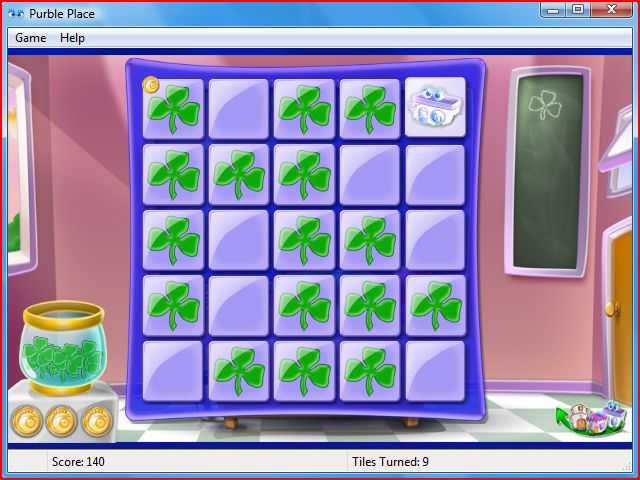
One of the Purble Place games first included in Windows Vista and later in Windows 7 is the Purble Pairs. Purble Pairs is actually another software version of the classic memory game where players are trying to find matching pairs. You just select a tile and click another to find the missing matching tile. If you make a pair, they are removed from the screen. The aim of the Purble Pairs is to remove all the tiles from the screen by pairing all the tiles or the cards. This is a very basic game with its concept and applications. But I found it very useful for a child's educational improvements. Because you have to build a strategy to remember the cards you have opened earlier, and at least try not to re-open a card before its pair is opened on the board. I know it is easy for you but believe me not for a 5 years old child.
Comfy Cakes
 Comfy Cakes cooking game is another children game included in Purble Place Windows 7 game pack.
I can easily say that Comfy Cakes is the favorite game for elementary-school aged children among all three Purble games.
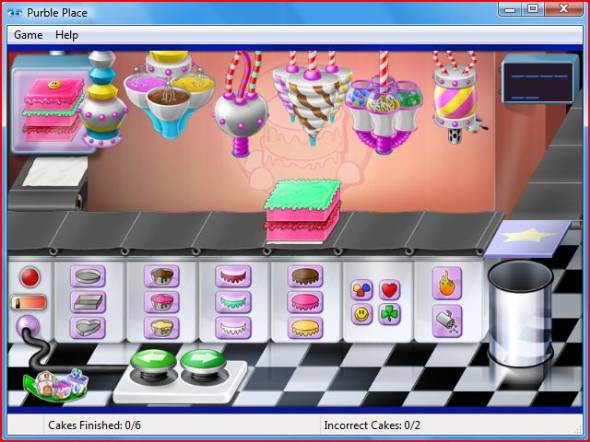
Your child plays the role of a bakery Purble character whose purpose in the game is to complete the given orders correctly on a cake production line.
The orders for cakes are displayed on the screen for the player.
The bakery children are supposed to select the matching cake pan, batter and cake icing, etc. to make exactly the ordered cake to get points.
If you fail, an angry Chief Purble bakery will show up on the screen.
Comfy Cakes cooking game is another children game included in Purble Place Windows 7 game pack.
I can easily say that Comfy Cakes is the favorite game for elementary-school aged children among all three Purble games.
Your child plays the role of a bakery Purble character whose purpose in the game is to complete the given orders correctly on a cake production line.
The orders for cakes are displayed on the screen for the player.
The bakery children are supposed to select the matching cake pan, batter and cake icing, etc. to make exactly the ordered cake to get points.
If you fail, an angry Chief Purble bakery will show up on the screen.
I believe that Purble Place Comfy Cakes bakery game is one of the favorite cooking games for girls.
Purble Shop
Purble Shop is my favorite game among the Purble Place games. Although the Purble Shop just like the other Purble Place games looks like a child game you can turn it to a challenging mind game for yourself also. Just like the other Purble Place games you can configure the difficulty level for the Purble Shop also. Actually the concept of the game Purble Shop is not new. I remember I played it when I was a child. It was called Mastermind game. Then it was as finding the 5 stick with right colors and the right available places.
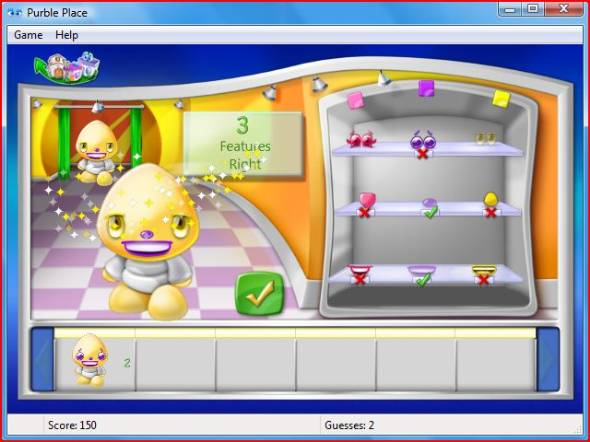
When the Mastermind concept is applied to Purble Shop for children to play, the purpose seems to guess the right colors of features (hair, nose, mouth, accessories, etc.) of a lovely Purble character. And when you are finished the Purble game character that is hiding behind a curtain will surprise you.
When you make guesses about the characteristics of the Purble behind the curtain, you get clues about your guesses. For example, you find 2 of the features right with their colors right also. And one more cue, you find only 1 color but on a wrong feature. You have to eliminate among colors and features of the Purble and try to find out the correct ones.
So you try to find all the features with right colors to finish the round and figure out how the hidden Purble behind the curtain looks like using the clues gathering after each guess you do.
Last Note for Windows 7 Multi-Touch Screen users: If you are planning to buy a multi-touch PC (all-in-one PC) or to buy a touchscreen monitor for your Windows 7 system, then I believe kids will love playing Purble Place using their fingertips and touch gestures instead of using mouse controls.