Define Tab Order in SAP Screen Personas
To define tab order or to configure tab sequence on Personas flavor is important in SAP Screen Personas as well as for other web applications to reach best user experience for web users since they press tab key to navigate among web controls on the user interface as well as using mouse pointers.
If tab order is not configured according to the order of web elements like textboxes, buttons, etc placed on the web page, the user can feel uncomfortable since when he or she presses tab key in an expectancy to move to the next input control but jumps to a control that is further on the page.
Define Tab Order in Personas 3.0
If you are a developer working on user interface UI part especially, you already know that one of the fundamental UI task is assigning tab order among user interface elements on the screen.
Defining tab sequence in Personas 2 was managed on screen element properties TabIndex attribute.
Since the GUI controls for Personas tool to customize flavors has changed a lot compared with new SAP Personas version, it is a question for me to find the answer of how to define tab order in SAP Screen Personas 3.0
Unfortunately, for SAP Personas 3.0 SP01 (Support Package level 01), there is not a way to set tab order using the Personas flavor editor.
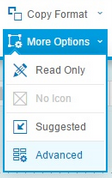
On SAP Screen Personas 3.0 SP02, flavor editor has a new tool named Advanced Properties Editor where developers can define tab order or tab sequence using TabToElement property of each element displayed on their Personas flavor.
Below is a video tutorial showing how to define tab order on SAP Personas 3.0 SP02 or later using the TabToElement property of screen elements. For each element, this attribute defines the next element when the user presses Tab key on that control.
Define Tab Sequence in SAP Personas 2.0
If you are a developer working on a flavor working on SAP Screen Personas 2, you can define tab order using the TabIndex attribute on Property window of UI elements. Here is how developers can set the tab sequence for a specific control.