
Download Microsoft Touch Pack for Windows 7
Microsoft has releaesd Touch Pack for Windows 7 Consumer download on 21th of April, 2010.
Microsoft Touch Pack for Windows 7 download includes six applications for Windows 7 multi-touch screen users optimized for Windows 7 Touch features.
Windows 7 users can download Microsoft Touch Pack for Windows 7 from Microsoft downloads.
Microsoft has announced the Microsoft Touch Pack for Windows 7 at the end of May, 2009.
You can read more about the Microsoft Touch Pack for Windows 7 announcement at Introducing the Microsoft Touch Pack for Windows 7 from the Windows 7 Team Blog.
Microsoft Surface Team and the Windows 7 Team have worked together in close contact in order to introduce the multi-touch to Windows7.
Microsoft Surface team and the Windows teams has build sample applications for public use demonstrating the multi-touch features of Windows7.
The sample multitouch applications have been packed in Microsoft Touch Pack for Windows 7.
Here is a short list of applications packed in Microsoft Touch Pack for Windows 7 download.
Microsoft Surface Globe
Microsoft Surface Collage
Microsoft Surface Lagoon
Microsoft Blackboard
Microsoft Rebound
Microsoft Garden Pond
Microsoft Surface Lagoon Download
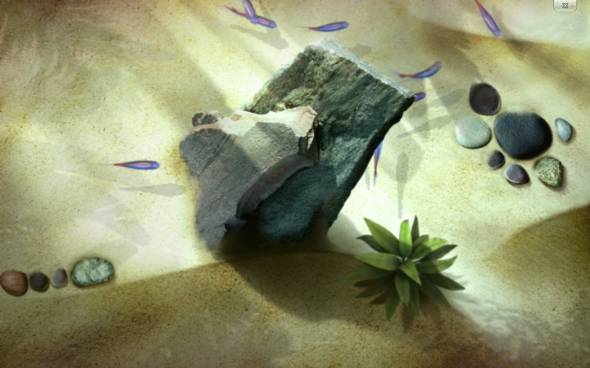
Microsoft Surface Lagoon download is a new screensaver for Windows 7 which you can interact using the multi-touch feature of Windows7.
Surface Lagoon is one of the applications in Microsoft Touch Pack download.
The Surface Lagoon screensaver is a simulation of a fish tank where Windows7 users can place their fingers on the screen and enjoy the fish gather around their fingers slowly.
Microsoft Surface Globe Download
Microsoft Surface Globe download is an application based on Microsoft Bing Maps.
Microsoft Surface Globe experiences the Microsoft users a live world exploration in 3-D experience.
Microsoft users can interact with 2-D or 3-D Bing Maps on Surface Globe application.
You can zoom in and zoom out, switch between satellite view and road views.
It is possible to rotate the map using your fingers!
Use of pushpins enables Microsoft Surface Globe download users mark their favorite places and export pushpins to your account at maps.live.com
In short Microsoft Surface Globe is a good candidate to be loved by users of Microsoft Touch Pack for Windows 7
Microsoft Surface Collage Download
Microsoft Surface Collage download is an interactive Microsoft Touch Pack application for Windows 7 for arranging your photos.
Download Microsoft Surface Collage from Microsoft Touch Pack for Windows 7 to bring new functionalities to your photo edit programs.
You can slide photo in any direction by touching photo, easily scale photos, scroll your photos among a long list, etc.
Microsoft Windows 7 Games - Microsoft Garden Pond
Microsoft Garden Pond is one of the touch screen games released for Windows 7 users with the Microsoft Touch Pack for Windows 7.
Garden Pond is a multi-player multi touch origami game where the users move the origami pieces by creating waves in the pond with their fingertips.
Windows 7 game players can refer to game guide at How to Play Microsoft Garden Pond Touchscreen Game for more gaming instructions about this Windows 7 touch screen game.
Microsoft Windows 7 Games - Microsoft Blackboard
Microsoft Blackboard is a physics puzzle game taking place in Microsoft Touch Pack for Windows 7 with its multitouch screen featurs.
Windows gamers should build a mechanic machinery using their fingertips, and multitouch gestures on a blackboard. Adding parts and pieces to the machinery the balloon or the ball should be carried to the light bulb in order to win in the game level.
Windows 7 users can refer to game guide at How to Play Microsoft Blackboard TouchScreen Game for Windows 7 for more detail on this Windows touch game.
Microsoft Windows 7 Games - Microsoft Rebound
Microsoft Rebound is a multi-player multi touch game for Windows 7 users. Microsoft Touch Pack for Windows 7 includes Microsoft Rebound for Windows game players.
The aim of Microsoft Rebound game is to control a metal ball using Tesla balls with electrical charge between them and score a goal against the opponent. There are power items that can change the score by giving advantage to one of the opponents at any time making the game more exciting.
For more information about this multitouch Windows 7 game, please read How to Play Microsoft Rebound Touchscreen Game.