MSSQLServer sp_MSgetversion Extended Stored Procedure
MS SQL Server sp_MSgetversion is an extended stored procedure which will successfully work on MSSQLServer 2000, SQL Server 2005 and even on Microsoft SQL Server 2008.
SQL developers or SQL Server database administrators can use sp_MSgetversion extended stored procedure in order to get the current Microsoft SQL Server instance version.
For displaying the MS SQL Server version by sp_MSgetversion extended stored procedure, simply execute the proc by :
EXEC master..sp_MSgetversion

Since sp_MSgetversion is an undocumented extended stored procedure it is not supported by Microsoft.
So for a safe use in production environments you can prefer other methods for retrieving the SQL Server version by t-sql code.
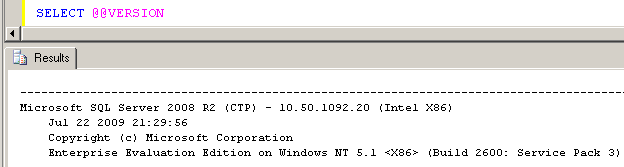
@@VERSION
You can retrieve the related installed SQL Server version by selecting the @@VERSION property.
SELECT @@VERSION
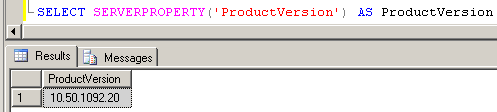
ProductVersion SERVERPROPERTY
Or you can read the ProductVersion property to retrieve the current MSSQLServer instance in the form of 'major.minor.build' number.
SELECT SERVERPROPERTY('ProductVersion')