Vista Tools - Sticky Notes
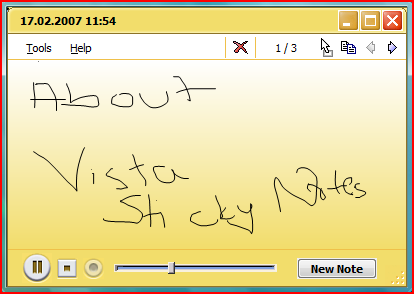
Sticky notes is a small tool where you can take notes on a Tablet PC using a tablet pen. It is possible to take notes also using your mouse to draw your notes on the note pane of the Sticky Notes application.
But the most interesting and useful point for using the Stiky Notes is you can also record your vocal notes. I found it practical to take voice notes by using the Sticky Notes.
When you open the Sticky Notes application, a blank note is presented. You can draw your notes or start recording your voice by clicking on the Record button. You can view previous or next notes by navigating back and forth using the navigation arrows.
You can find the Sticky Notes application on the Programs tab of the Start Menu, click the Accessories group then open the Tablet PC group.