How to Install IIS 7.0 on Windows Vista RC1 Ultimate Edition (X64)
First of we need to go to the Add Remove Programs. So begin from clicking the Start button.

Then find the Control Panel item among the others on the right side of the new navigation bar.

When the Control Panel is displayed choose and select the Programs item. Click over the Programs.

When the Programs screen is displayed, click the "Turn Windows features on or off" link

When you click the link "Turn Windows feautes on or off", you will be asked for administrative permission to continue even you logged on the Vista with an administrative account by the User Account Control.
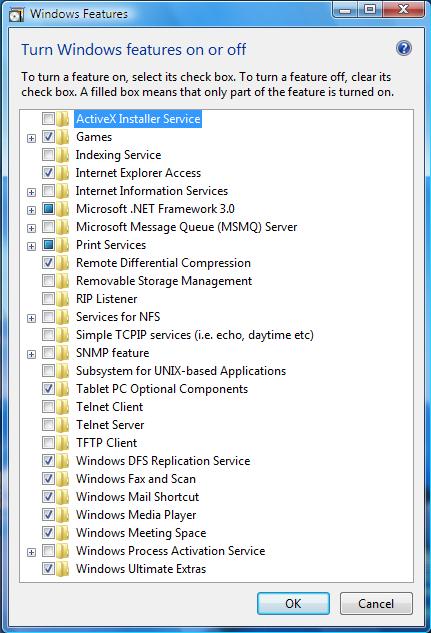
Then a new long list of Windows Features screen will be displayed. You will see that Internet Information Services is not installed with the default installation.
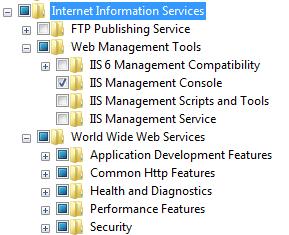
If you want to look a detailed list for Internet Information Services, you will have a view just like below.
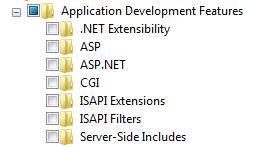
If we drill through the World Wide Web Services, and diplay the Application Development Features are as seen below. When you click the Internet Information Services check that is on the root of Windows Features list, none of the features below is checked. If you eant to host any of the below applications, you need to select that feature seperately.
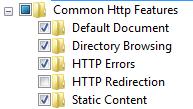
Common HTTP Features menu item includes the below list
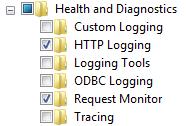
Health and Diagnostics topic includes the following subitems.
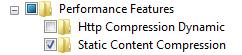
Performance Features includes compression preferences.
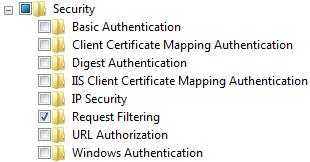
And the last item for World Wide Web Services is the Security topic. The Security for the new IIS 7 includes the following headers.
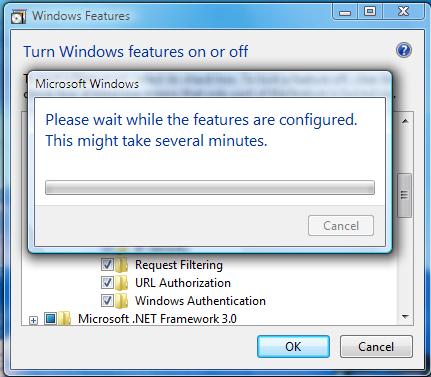
After you selected all the items you require in your Web Server IIS 7, you may start the installation for the newly added Windows Features. You have to wait for a short time in order to let the vista install the Internet Information Services 7.
The installation ends silently. You will find the shortcut for the new IIS Manager under the Administrative Tools start menu item.
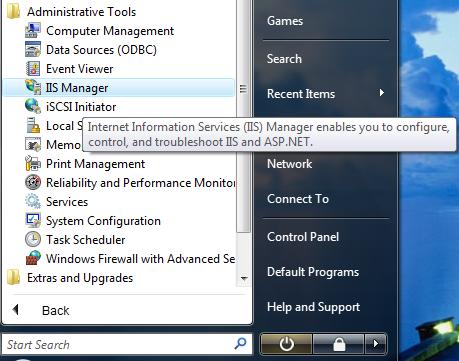
Here is the Internet Information Services (IIS) Manager which we have just installed on the Windows Vista RC1 Ultimate Edition.
-Manager.jpg "IIS Manager")
And the About box. The version for the IIS 7 is exactly Internet Information Services (Version 7.0.5600.16384)
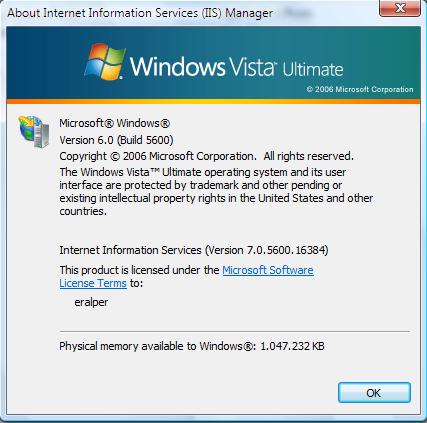
Welcome to Internet Information Services (IIS) 7 world !