
How to Script Data in MS SQL Server 2012 using Generate and Publish Scripts Wizard
SQL Server database administrators and T-SQL developers have first introduced with scripting data in SQL database tables with Microsoft SQL Server 2008
Microsoft SQL Server 2008 has additional Generate Scripts options enable administrators and programmers to generate scripts of data in SQL Server database tables.
The script wizard had some changes after MSSQL2008, with SQL Server 2008 R2 release and after Microsoft SQL Server 2012 release.
I believe it is useful for new beginners who requires to script data from SQL tables into a script file in order to export or import table data from a database to another database.
For data professionals working with SQL Server 2008, I can suggest SQL tutorial Script Data in MS SQL Server 2008 Database Tables using Generate SQL Server Script Wizard.
Click on database. Right click on database and open context menu.
Select Tasks > Generate Scripts... from displayed menu.

Microsoft SQL Server 2012 Generate and Publish Scripts wizard is displayed.
Click on Next buton.
In the following wizard screen, we are going to choose database objects that we want to create scripts for.
Since I want to script data of a single sql table, I will choose the "Select specific database objects" option.
If you want to generate script for all database objects in the target database you can choose "Script entire database and all database objects".
Among Tables, I will choose HumanResources.Departments table as an example.
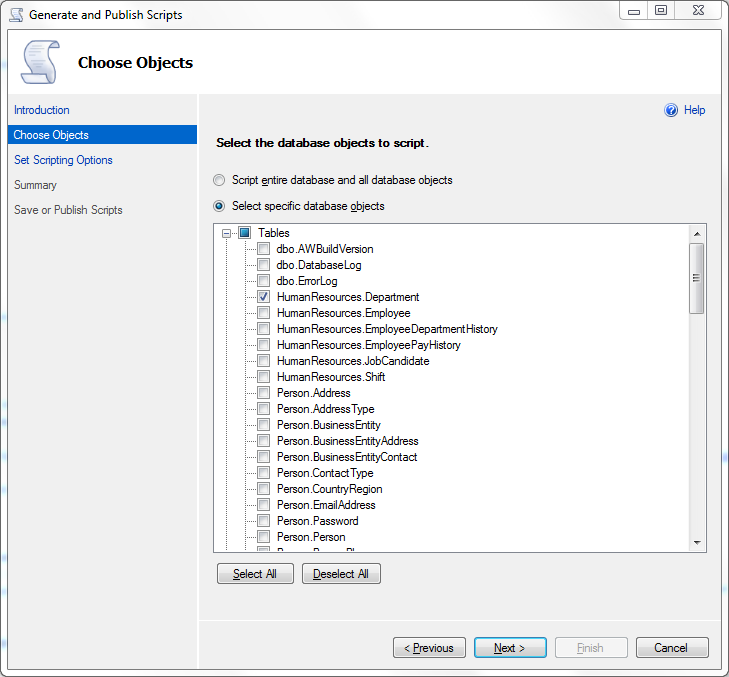
Click on Next button
In the next wizard screen, we will configure scripts in detail and save or publish options.
Since I want to display the generated data script in the SQL Server Management Studio Query Editor window, I choose the "Save to new query window" option.
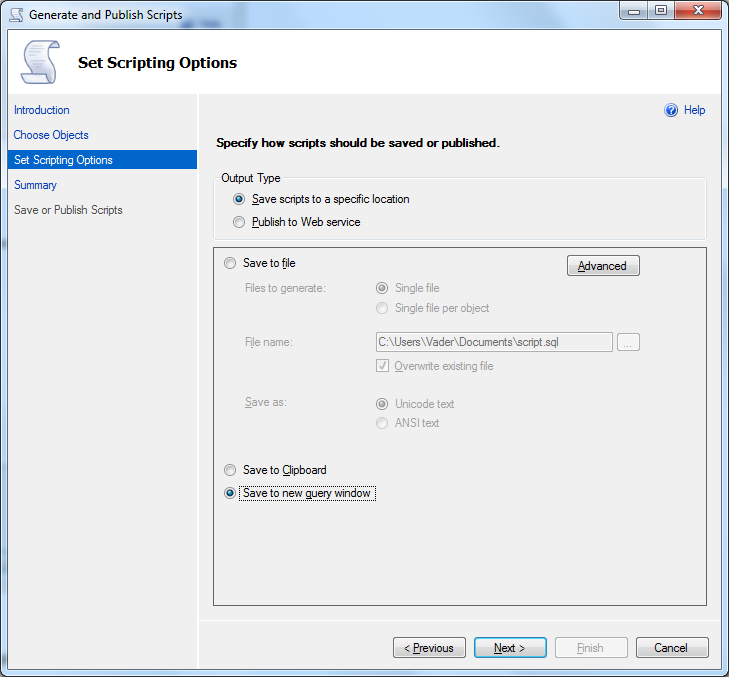
The most important configuration here in this screen is configuring the script wizard to script data. So please click Advanced buton.
In the Advanced Scripting Options configuration screen, find Types of data to script parameter. The default selection is Schema only script type. In order to script data in table in SQL Server, you can either choose Data only script type or Schema and data script type.
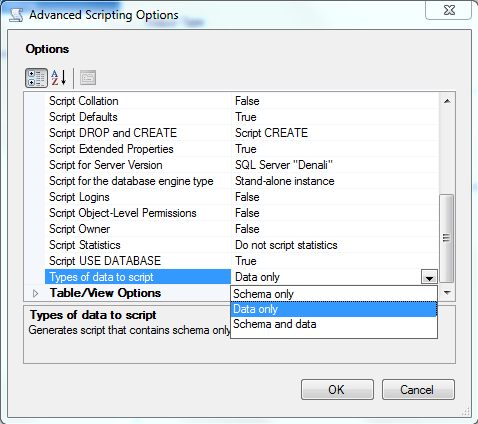
After you completed your advanced scripting options selection, click OK buton. Then click Next buton.
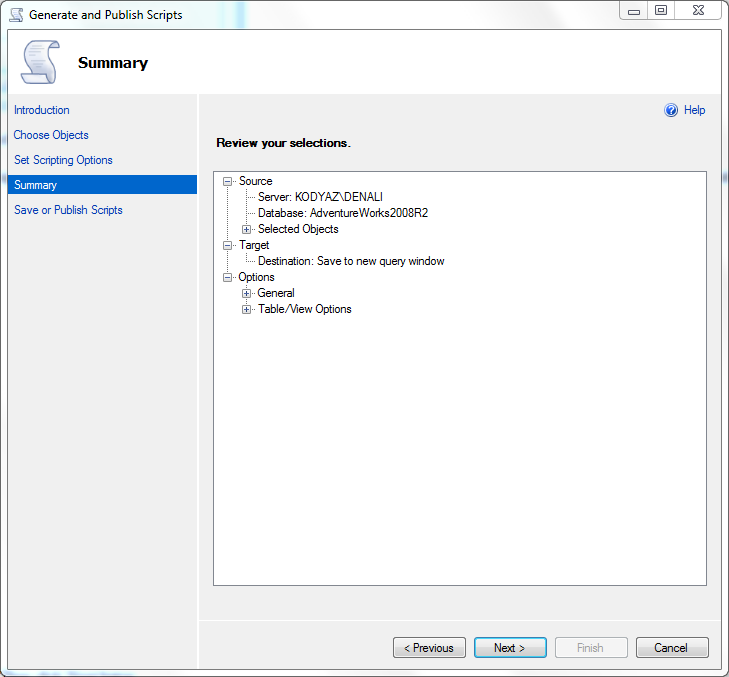
Click Next buton if everything is correct. Or click Previous buton to reconfigure generate script data options.
The Generate and Publish Scripts wizard, executes the task and displays each step and the result of the task execution.
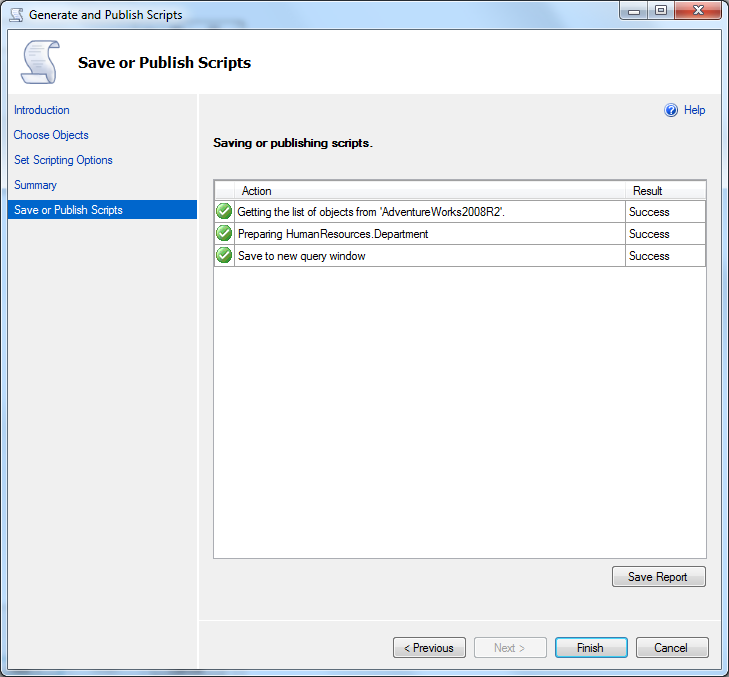
Click Finish buton to close the SQL Server 2012 generate script wizard.
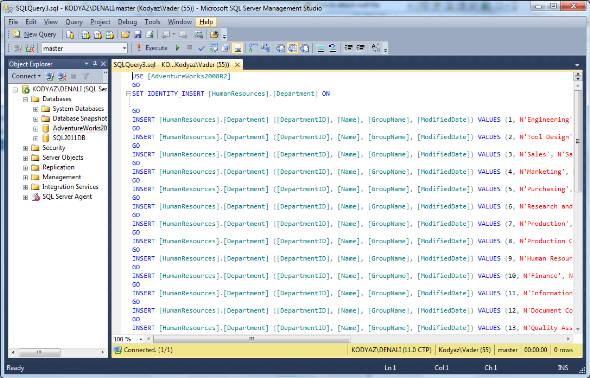
At the same time the script of data stored in sql table will be displayed in a new query windows in MS SQL Server 2012, Denali SQL Server Managemet Studio (SSMS)
SQL Server database administrators and T-SQL developers, please refer to following additional SQL Server tutorials to create database object scripts:
1) How to Script MS SQL Server 2008 Database using SQL Server Script Wizard
2) Script Data in MS SQL Server 2008 Database Tables using Generate SQL Server Script Wizard
3) How to Script Data in MS SQL Server 2012 using Generate and Publish Scripts Wizard
4) SQL Server BCP Utility with sp_HelpText to Generate Script File for Each Stored Procedure in a Database
5) Create SQL Server Database Object Script using Visual Studio 2015