
Encrypting sensitive information stored in the web.config file
It is now possible to encrypt sections in a web.config configuration file by using DataProtectionConfigurationProvider and the ProtectSection method of the SectionInformation class.
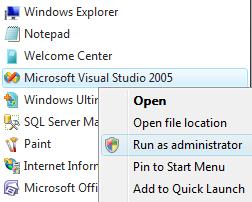
First of all we should open the Microsoft Visual Studio IDE with the Administrative priviledges if we are developing on a Microsoft Windows Vista machine.
Other wise we can face some problems regarding to the security issues. So open the VS IDE by Run as Administrator command shown below:
Then create a new web site.
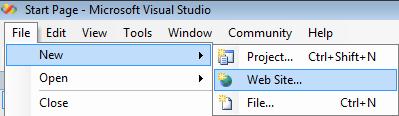


Let's add to Default.aspx web page some information from a database.
Open the Server Explorer window. You can use the Ctrl+Alt+S shortcut key combination in order to display the Server Explorer. Or open the View menu item then select the Server Explorer.
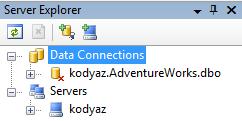
Here for my sample application, I have already a data connection to my local SQL Server 2005 instance AdventureWorks sample database. Let's create an other data connection in order to see how we can connect to a SQL Server instance and database.
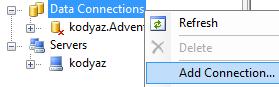
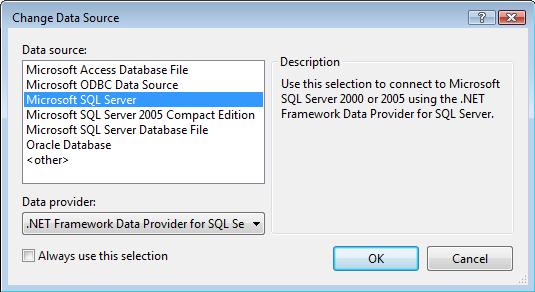
In order to connect to a Microsoft SQL Server instance select the data source of your connection as shown below:
I'm adding a snapshot of the database Adventureworks which I've created for reporting purposes. You can review the article How to Create a Database Snapshot for how AdventureWorks_SS snapshot database can be created.
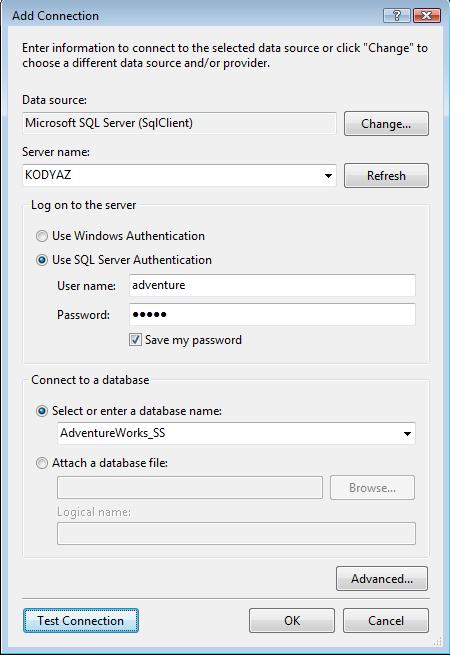
I connect to the snapshot database with SQL Server Authentication which requires a user name and a password. We will keep the database connection user name and password in the web.config configuration file and we will encrypt and decrypt the connection string section of the configuration file for security considerations.
If the connection test is successfull you will see that AdventureWorks_SS is also listed in the Data Connections in the Server Explorer. If so, drill down the Tables and drag and drop one of the tables on the web form.
Let's drag and drop the HumanResources.Department table on the web page, Default.aspx
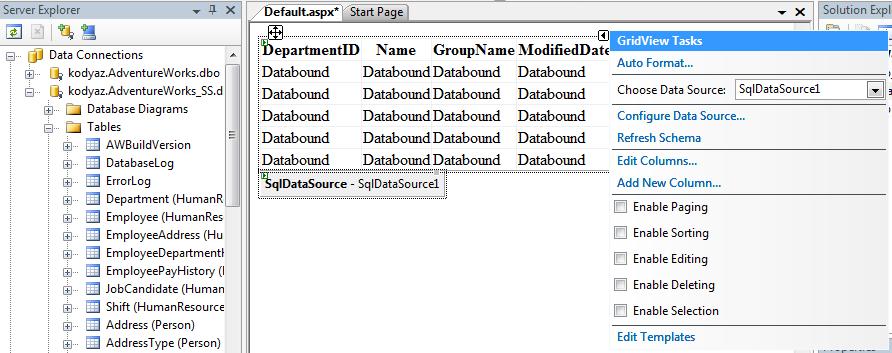
As you see a datagrid and a SqlDataSource object is created on the web form automatically.
Also if you open the web.config file you can see that connectionStrings section has now a new item named AdventureWorks_SSConnectionString1 which keeps the connection string with the user name / user id and the password for the data source.
<connectionStrings>
<add name="AdventureWorks_SSConnectionString1" connectionString="Data Source=KODYAZ;Initial Catalog=AdventureWorks_SS;Persist Security Info=True;User ID=adventure;Password=works" providerName="System.Data.SqlClient" />
</connectionStrings>
This actually is not a secure way of keeping sensitive data in web.config configuration file.
Before we continue to encrypt the connection string, we should edit the SqlDataSource command strings since the commands unfortunately include the schema names in front of the table name Department.
For instance SelectCommand is as follows
SELECT [DepartmentID], [Name], [GroupName], [ModifiedDate] FROM [Department]
But must be modified as
SELECT [DepartmentID], [Name], [GroupName], [ModifiedDate] FROM [HumanResources].[Department]
The other commands, DeleteCommand, InsertCommand and UpdateCommand as well as the SelectCommand should be updated in the same manner.
After the update in the SqlDataSource you can browse the default.aspx page and display the list of departments on the web page.
Now add a new item to the web site using the Solution Explorer window. Right click on the web site and on the context menu select Add New Item... then the Visual Studio installed templates will be displayed. Select the Global Application Class with the default name Global.asax and add this new item.
Open the Global.asax global application class file and paste the following lines of code in order to encrypt the database connection string information.
Protected Sub EncryptConfig()
Dim path = "/WebSite1/"
Dim config As Configuration = System.Web.Configuration.WebConfigurationManager.OpenWebConfiguration(path)
Dim appSettings As ConfigurationSection = config.GetSection("connectionStrings")
appSettings.SectionInformation.ProtectSection("DataProtectionConfigurationProvider")
config.Save()
End Sub
Call this function from the Application_Start sub procedure in the global application class file. After you start and browse the default.aspx page, if you open the web.config file you will see that the connectionStrings section in the configuration file is encrypted as follows.
<connectionStrings configProtectionProvider ="DataProtectionConfigurationProvider">
<EncryptedData>
<CipherData>
<CipherValue>AQAAANCMnd8BFdERjHoAwE/Cl+sBA........mIot4KGnA1xEz4jqObhKco=</CipherValue>
</CipherData>
</EncryptedData>
</connectionStrings>
You can decrypt the configuration section back to its original status using the
appSettings.SectionInformation.UnprotectSection()
instead of
appSettings.SectionInformation.ProtectSection("DataProtectionConfigurationProvider")
to encrypt the section.
You can download a sample web site application from the files section of this site by following Encrypting Sensitive Information in Web.Config link.