
How to use SQL DROP Table If Table Exists in SQL Database
On SQL Server data platform, if developers want to drop database table which might have already created in the SQL database, they can use SQL DROP TABLE command. The SQL Drop Table command will run successfully if SQL database table exists on that SQL Server database. Contrarily if the sql table does not exist in SQL Server database, then sql DROP TABLE command will cause sql engine to throw the following error.
Msg 3701, Level 11, State 5, Line 1
Cannot drop the table 'Sample SQL Table', because it does not exist or you do not have permission.
In order to modify sql script to drop existing sql tables, SQL developers can use conditional DROP statements. It is as simple as adding an tsql IF clause before executing the sql DROP TABLE command.
SQL Server 2016 Drop Table Command Syntax
With the release of SQL Server 2016, SQL developers and database administrators are able to use a new Drop Table command with new options introduced to check the existence of SQL table being dropped.
One of new SQL Server 2016 enhancements for SQL programming is following Drop Table syntax:
Drop Table[ If Exists ] [ database_name . [ schema_name ] . | schema_name . ] table_name
If you try to drop a database table which has not been created yet on SQL Server 2016 without If Exists clause, you will get following error:
drop table myTable;
Msg 3701, Level 11, State 5, Line 6
Cannot drop the table 'myTable', because it does not exist or you do not have permission.
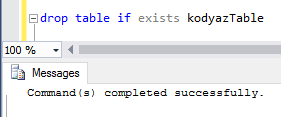
But when T-SQL developer uses the Drop Table If Exists syntax, it will work successfully without an exception
drop table if exists kodyazTable;
Drop Table Command for SQL Server 2014 and prior versions
Unfortunately, if you are working on a SQL Server data platform which is SQL Server 2014 or previous versions, you have to check manually the existence of the target database table before you explicitly execute the Drop Table command.
Actually we use the If Exists in the different order as we used in the new SQL Server 2016 syntax and in a seperate statement.
Here is a sample sql code to drop existing table
Create Table [Sample SQL Table] (id_column int);


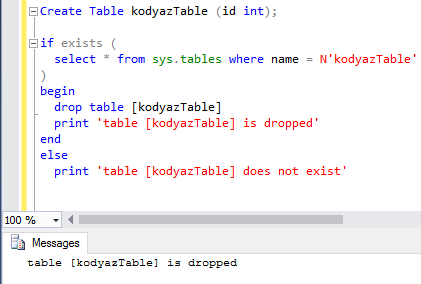
if exists (

  select * from sys.tables where name = N'Sample SQL Table'

)

  drop table [Sample SQL Table]
Here is a modified version of the above SQL script which can be sefely used on SQL Server 2014 and prior versions.
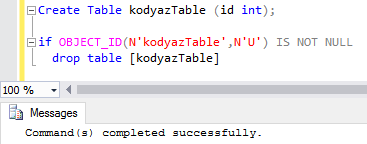
An here is an other sql code that can be used to check if sql table exists already in the SQL Server database, and if exists dropping sql table.
If sql table is not existing on the SQL Server database then the T-SQL DROP Table command will not be executed.
Create Table [Sample SQL Table] (id_column int);


if OBJECT_ID(N'Sample SQL Table',N'U') IS NOT NULL

  drop table [Sample SQL Table]
SQL Server developers can use one version of the above three sample sql codes to drop table in SQL databases.
If database developers want to test the existence of a temporary table on SQL Server database, they can use the method described in detail at SQL Server tutorial Check If Temporary Table Exists in SQL Database.